Admin Panel
An Admin Panel that keeps your restaurant in view
Track performance and manage your menu, add-ons, orders and promotions from one clear dashboard connected to your direct ordering channel.
Sales, orders and average basket in one place.
Update products, prices, photos and add-ons.
Follow orders through everyday operations.
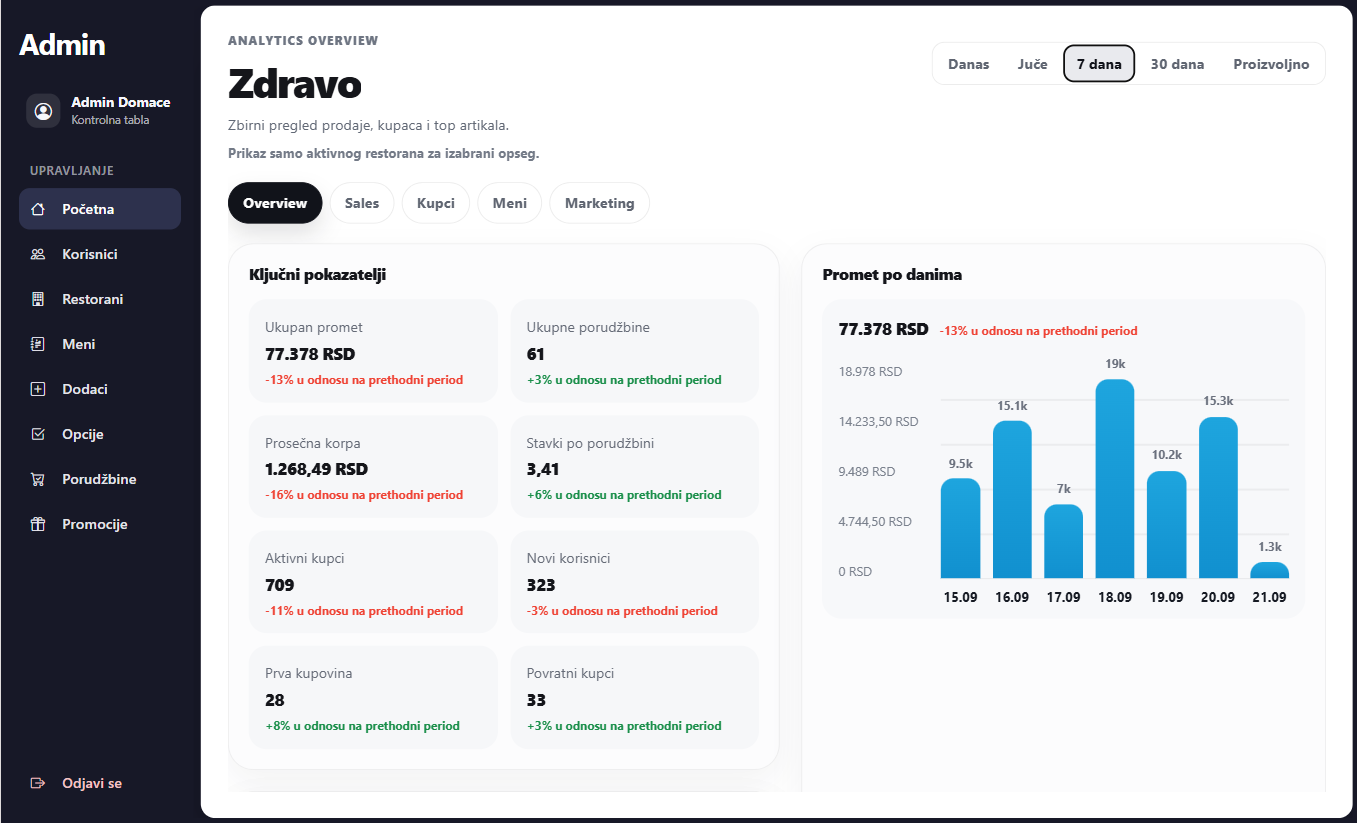
See new and returning customers in your channel.
Manage benefits and offers for guests.
Update restaurant details and opening hours.
Everything in one place
Tools for managing your restaurant every day
From reviewing results to updating your offer, the Admin Panel gives your team clear control over your direct channel.
Performance overview
Detailed view of business performance statistics.
- Sales and orders
- Average basket
- Customers and trends
Menu and add-ons
Keep your offer current so guests see the right products and prices.
- Products and categories
- Prices, photos and descriptions
- Add-ons and options
Customers
Understand who orders and how guest activity changes over time.
- New customers
- Returning customers
- Customer activity
Promotions
Prepare benefits that suit your offer and your guests.
- Promotional offers
- Customer benefits
- Promo codes
Included with the 2% to 5% packages · The Admin Panel is part of every direct-ordering package.
Send an inquiry View packages